

Overview
Integrations let you route identified visitors into downstream systems without exporting data manually.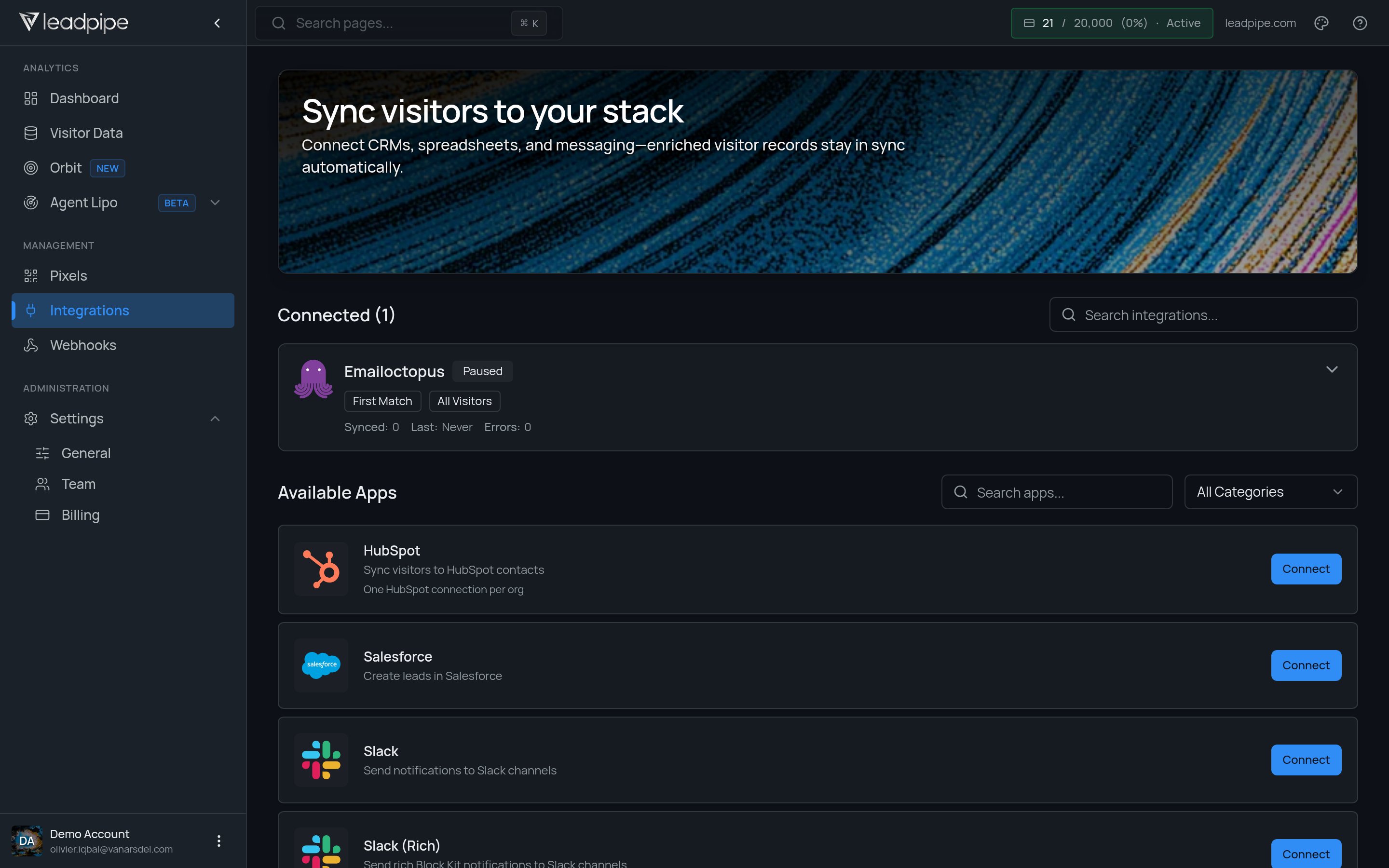
One HubSpot connection per org.
Leadpipe supports a broad mix of destinations, including:
- CRMs such as HubSpot, Salesforce, Zoho CRM, Pipedrive, Freshsales, Close, Copper, Insightly, Nutshell, and GoHighLevel
- Messaging and notification tools such as Slack
- Spreadsheets and databases such as Google Sheets, Airtable, and Notion
- Marketing and lifecycle tools such as Mailchimp, Klaviyo, Omnisend, ActiveCampaign, Customer.io, and Monday.com
- Outbound tools such as Smartlead, SmartReach, and Instantly
Recommended rollout
1
Choose one destination first
Start with the system your team already checks every day.
2
Use a segment or filtered slice of data
Do not push everything at once. Start with a narrower audience so you can inspect quality before scaling up.
3
Choose the pixel when needed
If the destination flow is pixel-specific, choose the pixel you want the integration to use.
4
Verify field quality and timing
Confirm the right contacts are being created or updated and that the timing matches your workflow.
5
Expand carefully
Once the first integration is stable, add more destinations where the same visitor data should flow.
Verify the first delivery
- Open the selected app in Integrations and complete its Connect flow with an account that can write to the destination.
- Select the supported segment and pixel controls for that connection.
- Inspect one qualifying record in Leadpipe and in the destination. Check email, company, source, and the fields your team needs.
- Check the destination’s duplicate-handling behavior before increasing volume. Once per visitor delivery and CRM contact deduplication are separate controls.
- Review connection status and recent delivery details. Follow delivery troubleshooting if records are missing.
Good destination patterns
CRM
CRM
Use a CRM first when a sales team needs named visitors to show up in an existing pipeline or lead-routing process.
Slack
Slack
Use Slack when you want fast visibility before you build a heavier workflow.
Spreadsheet or database
Spreadsheet or database
Use Google Sheets, Airtable, or Notion when you need a lightweight review layer before committing to automation.
Outbound or lifecycle tools
Outbound or lifecycle tools
Use these when your team already has a clear follow-up process and knows what should happen after identification.
Good first use cases
- Send qualified visitors to a CRM
- Post high-intent activity into Slack
- Build lightweight reporting in Google Sheets or Airtable
- Feed outbound systems with filtered prospect lists