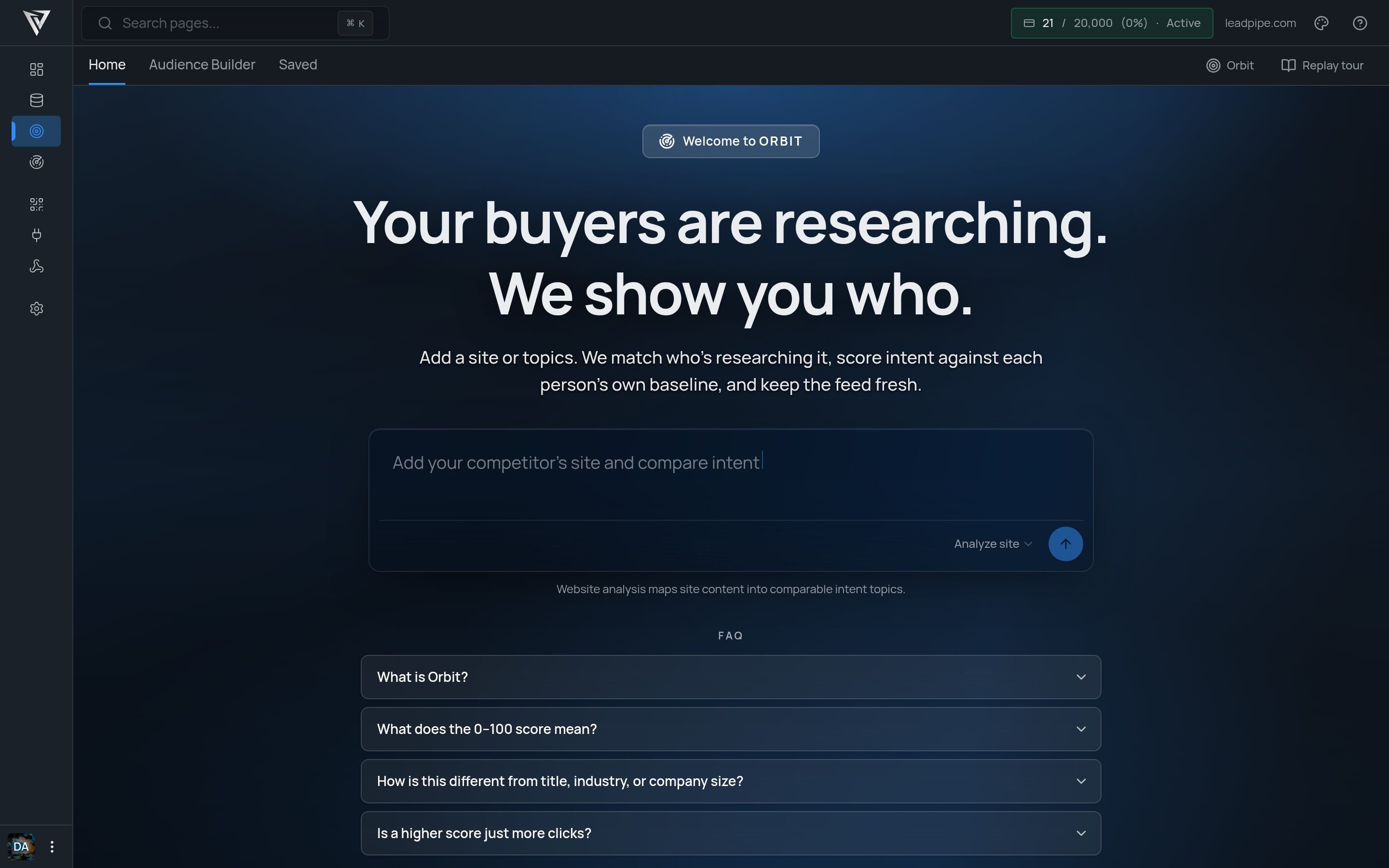
Most teams do not need a bigger list of leads. They need a better way to identify the people who are already in-market. That is what Orbit is for. Orbit turns topic-level research behavior into a usable audience. Instead of guessing who might care about a product, you start with the subjects people are actively researching, then narrow that audience into the slice that actually fits your go-to-market motion. Orbit is built for net-new targeting. It helps you find people and accounts that have not visited your site yet but are already showing signs of demand in the market. In practice, that usually means:
  • finding the topics that map to your category
  • analyzing a site to see which topics it maps to
  • previewing how much real demand exists around those topics
  • narrowing the audience with filters like seniority, industry, company size, or contact coverage
  • saving the audience so it can refresh over time
  • checking status and retrieving the people behind that demand
The result is not just a list. It is a living audience built around current intent.

What Orbit is

Orbit is Leadpipe’s intent audience API. Use it to find people who are actively researching specific B2B or B2C topics, then narrow those audiences with ICP filters such as company, seniority, industry, department, and contact availability. The typical Orbit workflow looks like this:
  1. Analyze a site or browse topics
  2. Preview the audience size
  3. Save an audience
  4. Activate it
  5. Check materialization status
  6. Retrieve results or export a CSV when needed
You can start from either direction:
  • search for topics directly
  • analyze a website to generate matching topics automatically
Topic overlap helps you control how strict the audience should be. A higher overlap means a person has to match more of the selected topics, which makes the signal narrower and usually stronger.

Two ways to create an audience

Orbit supports two practical starting points:
  1. Search topics directly when you already know the subjects you care about.
  2. Analyze a website when you want Orbit to suggest matching topics for that company or category.
From there, select the topics you want, set the overlap, apply filters, preview the audience, and save it.

Audience refresh

Saved audiences refresh on a recurring daily cadence, so you can review new runs over time and export fresh results when needed.

Base URL

https://api.aws53.cloud

Authentication

Authenticated requests can use an X-API-Key header.
X-API-Key: sk_your_api_key
API keys are scoped to an organization. Create and manage them in Settings > API Keys in the dashboard. Bearer-authenticated requests are also supported. Authenticated traffic keeps the higher rate limit and logs activity to the organization when applicable.

Quick start

# 1. Analyze a site into matching topics
curl -X POST "https://api.aws53.cloud/v1/intent/topics/analyze" \
  -H "Content-Type: application/json" \
  -d '{"url":"https://snowflake.com"}'

# 2. Preview the audience
curl -X POST "https://api.aws53.cloud/v1/intent/audiences/preview" \
  -H "x-api-key: YOUR_API_KEY" \
  -H "Content-Type: application/json" \
  -d '{
    "topicIds": [117805, 117890],
    "minScore": 70,
    "filters": {
      "seniority": ["director", "vp", "cxo"],
      "companyIndustry": ["software development", "information technology & services"],
      "hasBusinessEmail": true
    }
  }'

# 3. Create an audience
curl -X POST "https://api.aws53.cloud/v1/intent/audiences" \
  -H "x-api-key: YOUR_API_KEY" \
  -H "Content-Type: application/json" \
  -d '{
    "name": "Marketing Directors at Tech Companies",
    "config": {
      "topicIds": [117805, 117890],
      "minScore": 70,
      "filters": {
        "seniority": ["director", "vp", "cxo"],
        "companyIndustry": ["software development", "information technology & services"],
        "hasBusinessEmail": true
      }
    }
  }'

# 4. Activate the audience
curl -X PATCH "https://api.aws53.cloud/v1/intent/audiences/AUDIENCE_ID" \
  -H "x-api-key: YOUR_API_KEY" \
  -H "Content-Type: application/json" \
  -d '{"status": "active"}'

# 5. Check materialization status
curl "https://api.aws53.cloud/v1/intent/audiences/AUDIENCE_ID/status" \
  -H "x-api-key: YOUR_API_KEY"

# 6. Get results
curl "https://api.aws53.cloud/v1/intent/audiences/AUDIENCE_ID/results?limit=50" \
  -H "x-api-key: YOUR_API_KEY"

Endpoint groups

Topic discovery

MethodPathAuthPurpose
POST/v1/intent/topics/analyzeNoMatch a website to intent topics
GET/v1/intent/topicsNoBrowse all topics
GET/v1/intent/topics/facetsNoGet filter values with counts
GET/v1/intent/topics/searchNoAutocomplete topic search
GET/v1/intent/topics/{topicId}/trendNoGet daily trend for a topic
POST/v1/intent/topics/compareNoCompare multiple topics
GET/v1/intent/topics/moversNoSee top movers by audience growth

Audience builder

MethodPathAuthPurpose
GET/v1/intent/audiences/filtersx-api-keyGet ICP filter values
POST/v1/intent/audiences/previewx-api-keyPreview count and masked samples
POST/v1/intent/audiences/queryx-api-keyRun a full audience query
GET/v1/intent/audiencesx-api-keyList saved audiences
GET/v1/intent/audiences/{id}x-api-keyGet one audience
POST/v1/intent/audiencesx-api-keyCreate an audience
PATCH/v1/intent/audiences/{id}x-api-keyUpdate, activate, or pause
DELETE/v1/intent/audiences/{id}x-api-keyDelete an audience

Audience results

MethodPathAuthPurpose
GET/v1/intent/audiences/{id}/statusx-api-keyCheck materialization status
GET/v1/intent/audiences/{id}/resultsx-api-keyGet paginated audience results
GET/v1/intent/audiences/{id}/runsx-api-keyList daily runs
GET/v1/intent/audiences/{id}/statsx-api-keyGet fill rates
POST/v1/intent/audiences/{id}/exportx-api-keyExport CSV

Errors

StatusCodeMeaning
400VALIDATION_ERRORInvalid request
401AUTHENTICATION_ERRORMissing or invalid API key
403DRAFT_AUDIENCEAudience is draft and must be activated first
403NO_INTENT_CREDITSPlan does not include intent slots
403SLOTS_FULLAll audience slots are in use
404NOT_FOUNDAudience or requested run was not found
429Rate limit exceeded
500PROCESSING_ERRORQuery failed

Rate limits

Auth modeLimit
Unauthenticated2 requests per minute on all intent endpoints
Authenticated via API key or Bearer200 requests per minute