

Overview
The Analytics Dashboard gives you the fastest read on whether traffic is flowing, how active it is, and whether the mix looks healthy.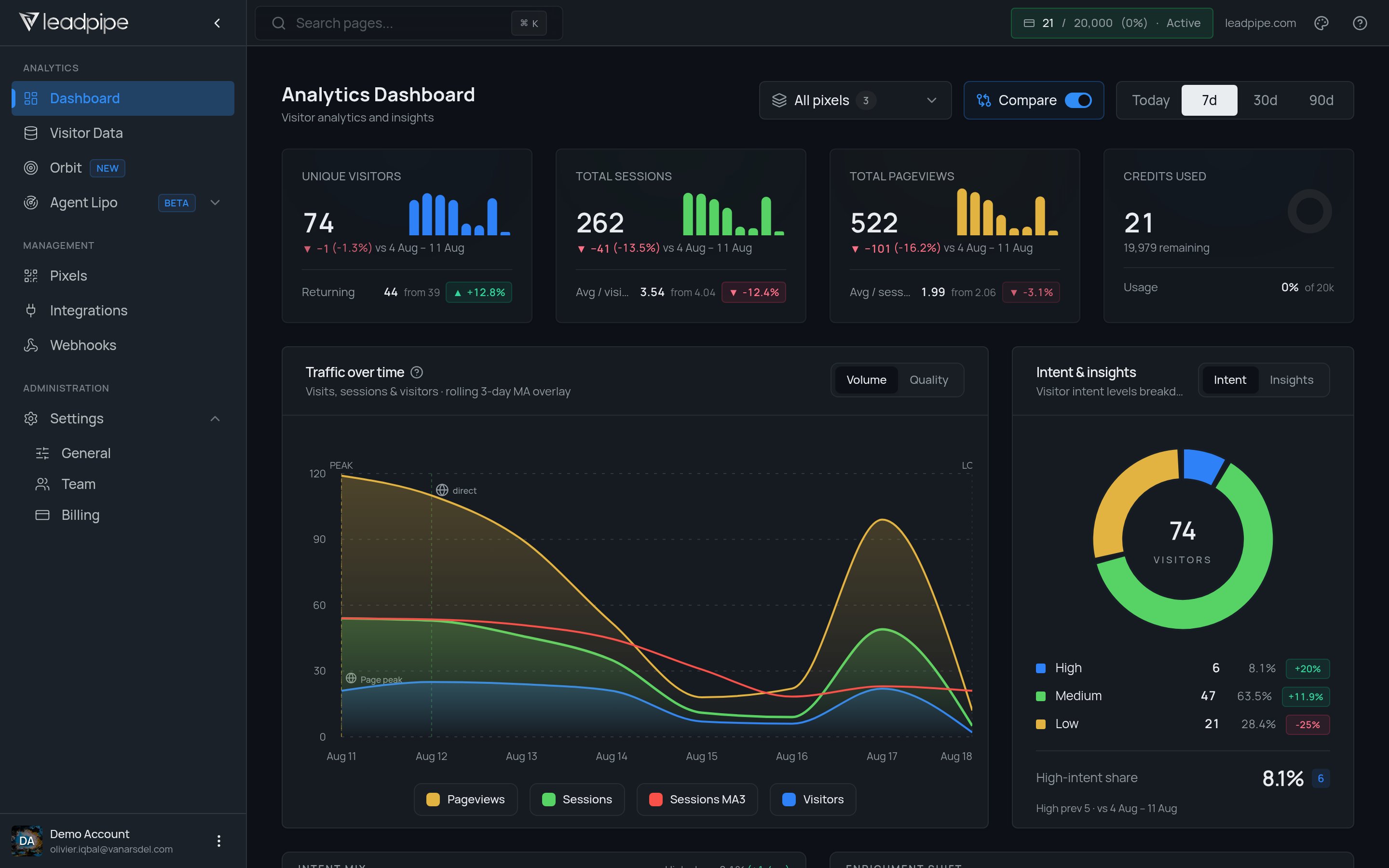
What the top cards mean
Use the pixel selector to scope the dashboard to one site. Choose
Today, 7d, 30d, or 90d to change the reporting window. Turn on Compare when you want to compare the selected period with the previous one.
Charts and breakdowns
Traffic over time
Traffic over time
This chart helps you see whether activity is stable, rising, or dropping over the selected period. The dashboard also exposes
Volume and Quality views so you can compare raw activity with the health of the traffic mix.Intent and insights
Intent and insights
The intent donut breaks visitors into
High, Medium, and Low intent buckets for the selected range.Top job titles
Top job titles
This shows the most common roles appearing in the traffic, which helps you judge whether the audience matches your target buyer.
Top locations
Top locations
This shows where visitors are concentrated geographically.
Top companies, URLs, and sources
Top companies, URLs, and sources
The dashboard can also surface which companies visited, which URLs attracted attention, and where the traffic came from, including tagged sources and common channels such as Google Ads, Facebook, referrals, and direct traffic.
What to look at first
- Check
Credits usedto make sure the traffic mix is healthy - Check
Traffic over timeto confirm collection is steady - Check
Top companiesandTop job titlesto see whether the right audience is reaching the site - Check
Top URLsto understand which pages are pulling the strongest visitor activity - Check
Sourcepatterns to see which channels are bringing the best traffic
What a healthy dashboard review looks like
- traffic is showing up for the right pixel and date range
- sessions and pageviews move in a believable way
- the intent mix matches the kind of traffic you expect
- credits are not being burned on noisy traffic
Next steps
- Read Use visitor insights when you want to inspect the actual identified records behind the trends.
- Read Suppress unwanted visitors if the dashboard shows too much noisy traffic.