

Overview
Use Pixels to control where Leadpipe collects data and how each tracked site behaves.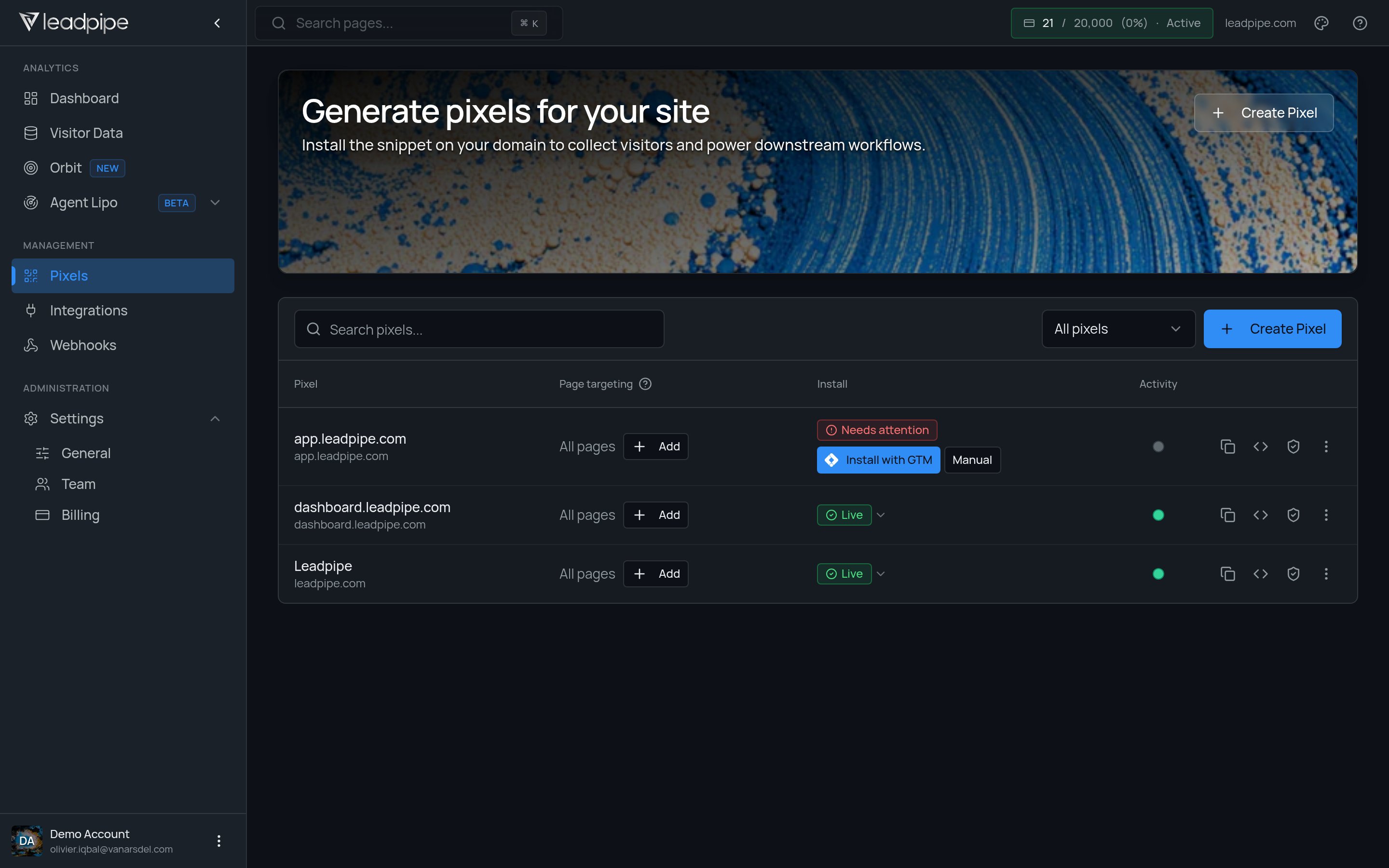
- Pixel name and domain
- Installation status and recent activity
- Page targeting
- Pixel actions
Core tasks
Create a pixel
Create a pixel
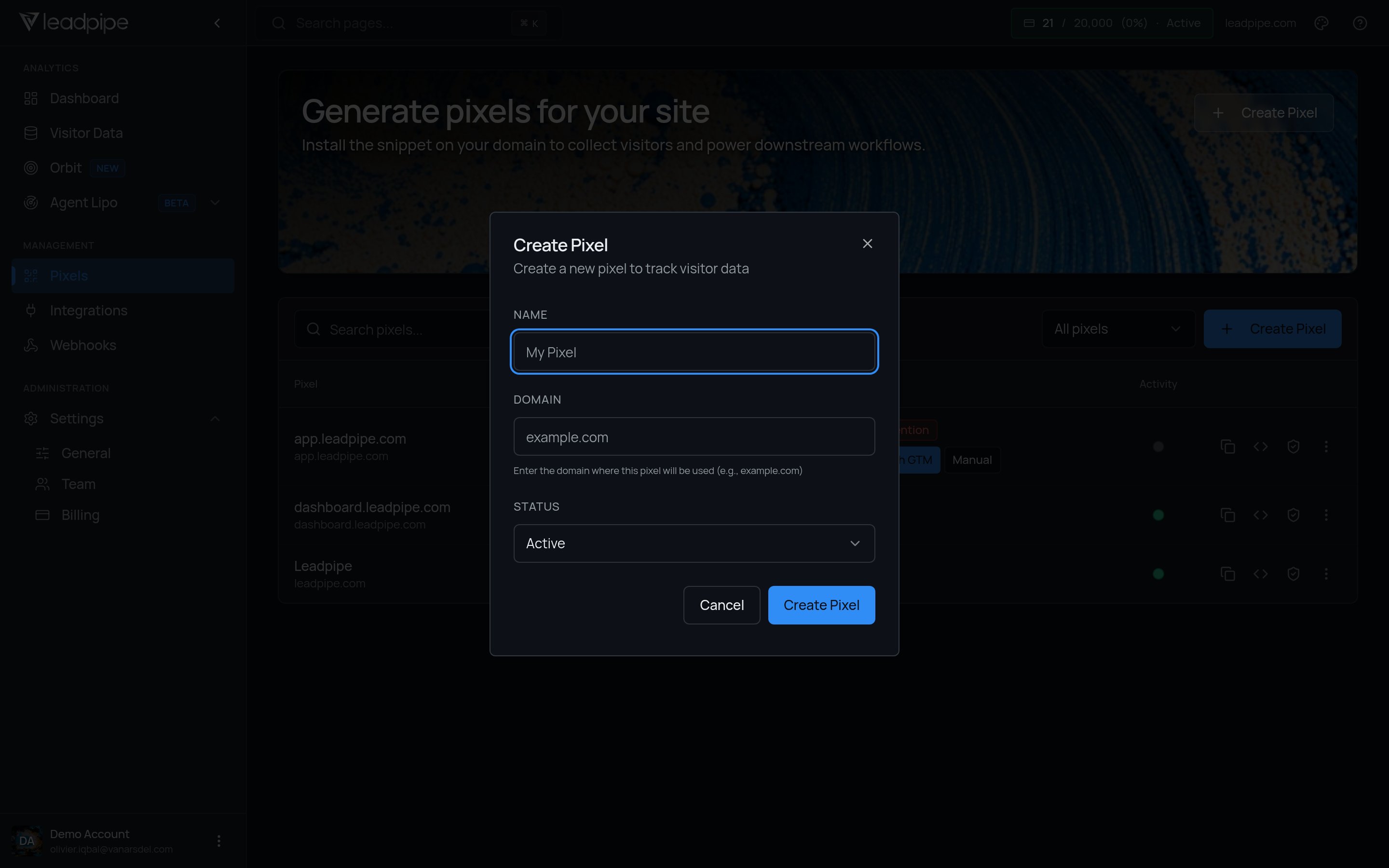
Use Create Pixel when you want to start tracking a new site. Enter a recognizable name and the website domain without a protocol or path.
View the install code
View the install code
Open the pixel code, copy it, and place it in the header of the site you want to track.
Control page targeting
Control page targeting
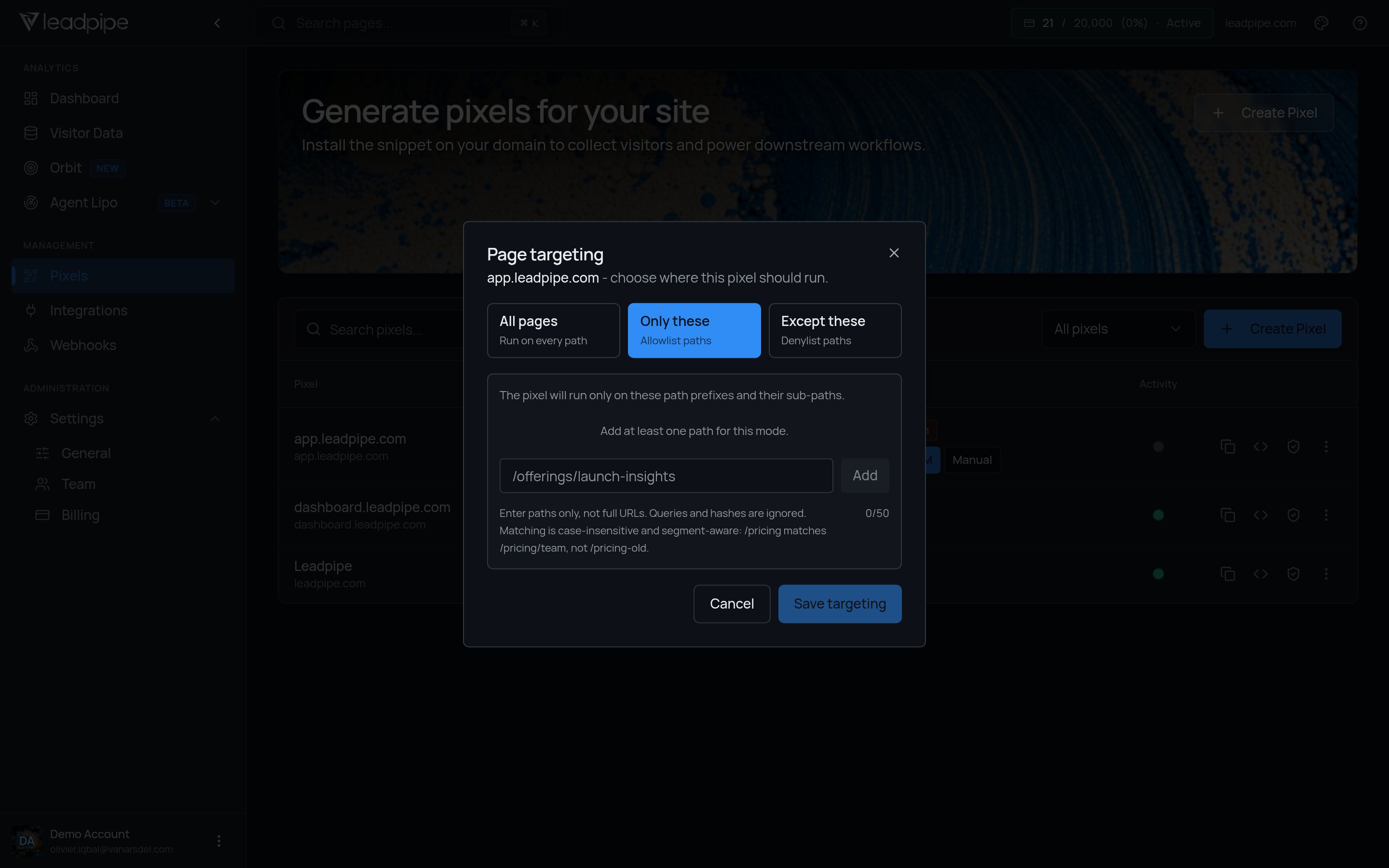
Track all pages, only selected path prefixes, or every page except selected path prefixes.
Basic install flow
-
Create the pixel for the site or domain you want to track.
-
Open
View code. -
Copy the snippet.
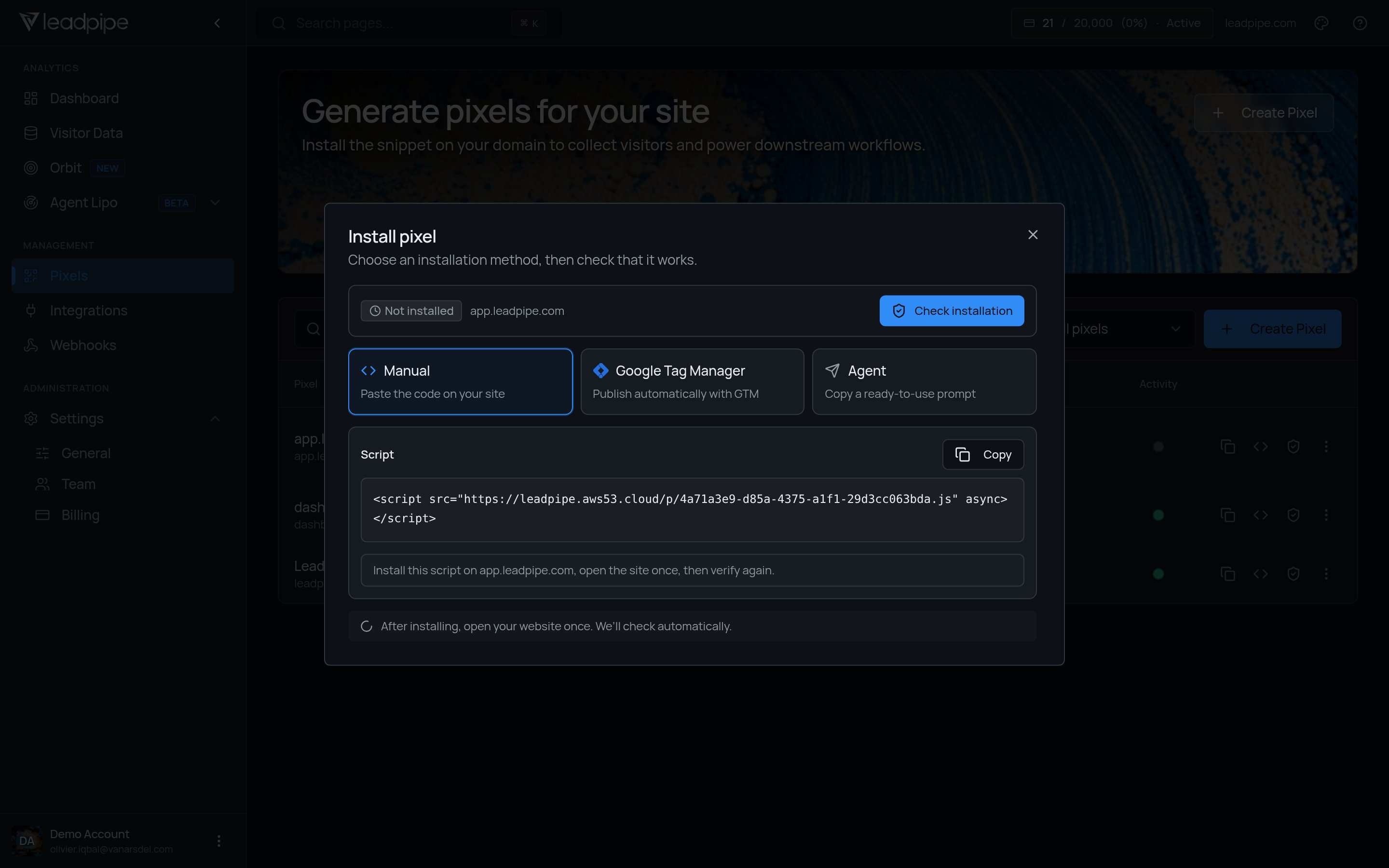
- Paste it into the site header.
- Return to Pixels and confirm the pixel verifies.
Add attribution to a pixel
Add query parameters to the end of your pixel script URL when you need to associate identified visitors with a client, campaign, source, or another internal label. When Leadpipe identifies a visitor, it includes these attribution values in the webhook payload and the Data API’scustomAttribution field. The dashboard continues to show all visitor activity.
Basic format
The standard pixel does not include attribution parameters:Standard pixel
?key=value after .js to include the first attribution value:
Pixel with attribution
Track a single client
Use aclient parameter to identify which client’s website produced the visitor.
client = bigco.
Track a client and campaign
Use& to add another parameter.
client = acme and campaign = spring2026.
Track multiple attributes
Add more parameters when your routing or reporting workflow needs additional context.client = acme, source = facebook, and vertical = ecom.
Use custom parameter names
Parameter names are flexible. Use labels that match your workflow.account = demo123 and rep = john.
Attribution parameter rules
- Start the first parameter with
?and separate each additional parameter with&. - Use short, URL-safe parameter names and values. Prefer letters, numbers, hyphens, and underscores.
- Do not use spaces. Use
my-clientinstead ofmy client. - Choose parameter names that match your routing and reporting workflow.
- Use attribution labels only. Do not put API keys, secrets, or sensitive personal data in the pixel URL.
customAttribution response shape and Data API availability.
Path filters
Open a pixel’s Page targeting control to choose where it runs.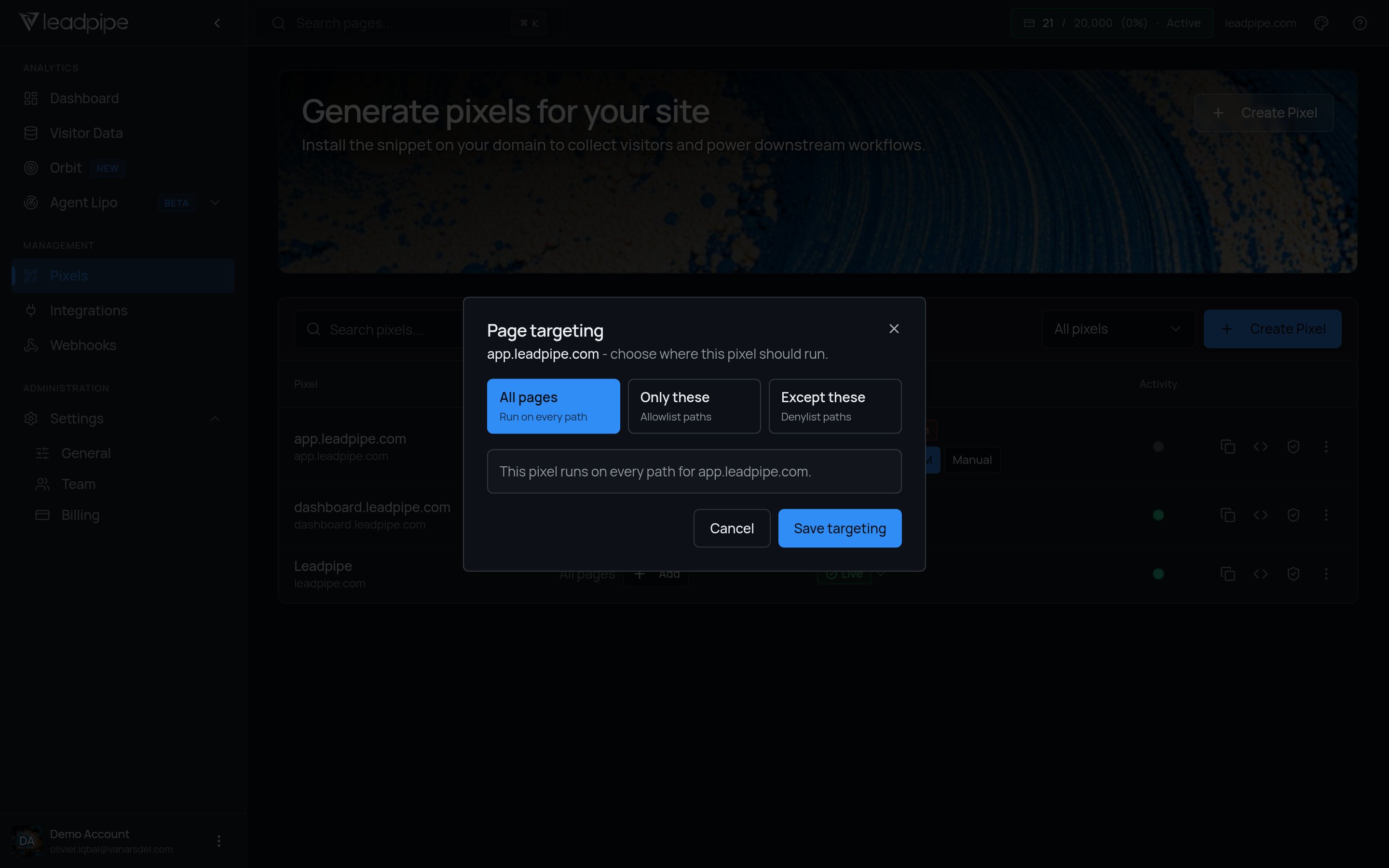
These two modes are mutually exclusive. A pixel should use one or the other.
Use allowlist mode when only a few high-value paths should be tracked. Use denylist mode when the pixel should fire broadly but skip low-value areas like blogs, careers pages, or support content.
What the table columns mean
If you are working through the API, the pixel list also includes
pausedReason, which explains why a pixel is paused.
Delete a pixel
Open the row action menu and select Delete pixel.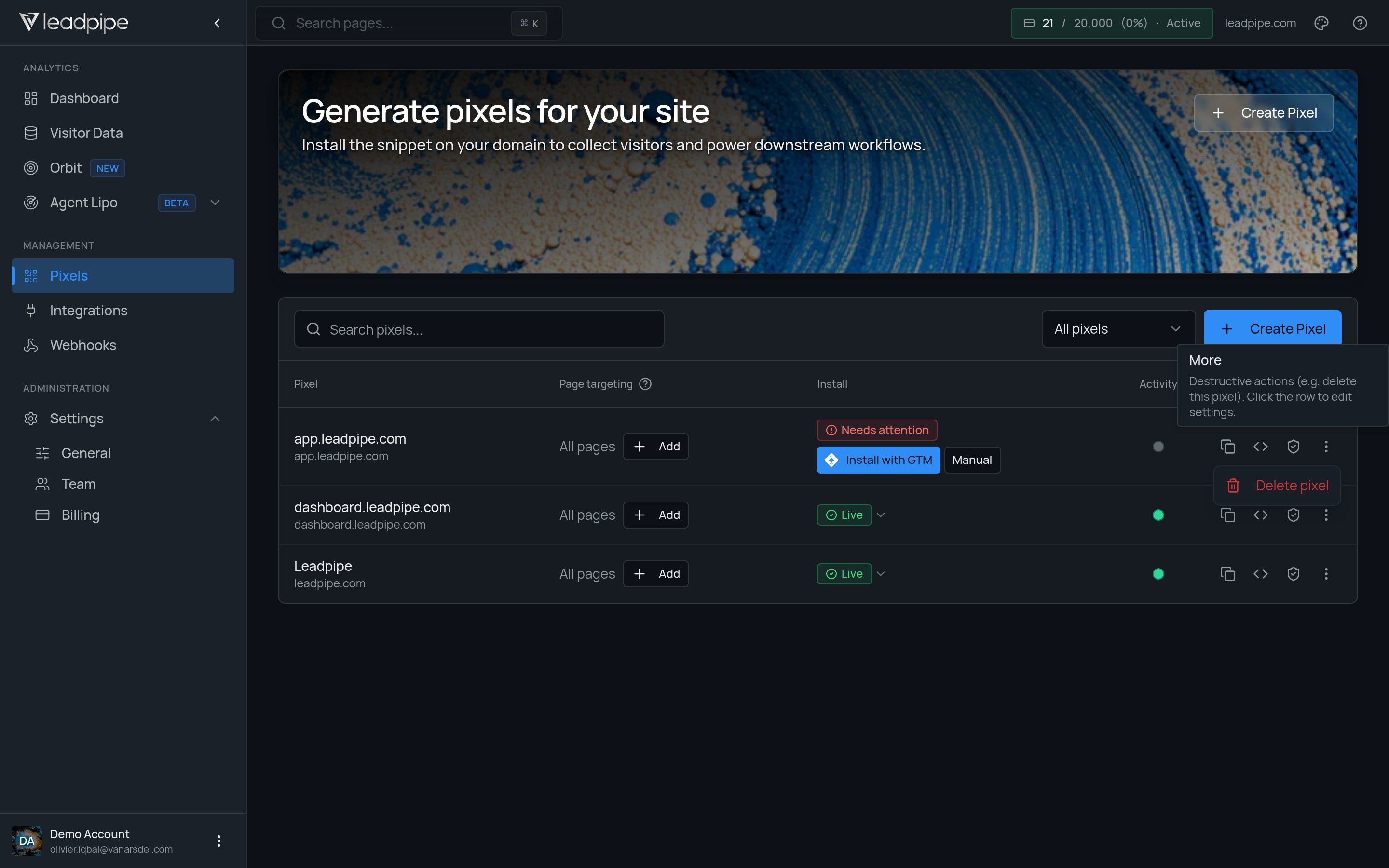
When to use multiple pixels
Use separate pixels when you need to split tracking by:- Brand
- Domain
- Team ownership
- Automation routing
Keep your pixel setup clean
- Name pixels clearly
- Match each pixel to the correct domain
- Review paused and unverified pixels regularly
- Add exclusions when internal or irrelevant paths distort the data
- Use separate pixels when different sites need different routing or reporting