> ## Documentation Index
> Fetch the complete documentation index at: https://docs.leadpipe.com/llms.txt
> Use this file to discover all available pages before exploring further.
# Set up integrations
> Send Leadpipe visitor data into the tools your team already uses
## Overview
Integrations let you route identified visitors into downstream systems without exporting data manually.
 If you are still deciding how data should leave Leadpipe, start with [Integrations and delivery options](/guides/integrations-and-delivery-options). That guide explains when to use a native integration, a webhook, or a manual export.
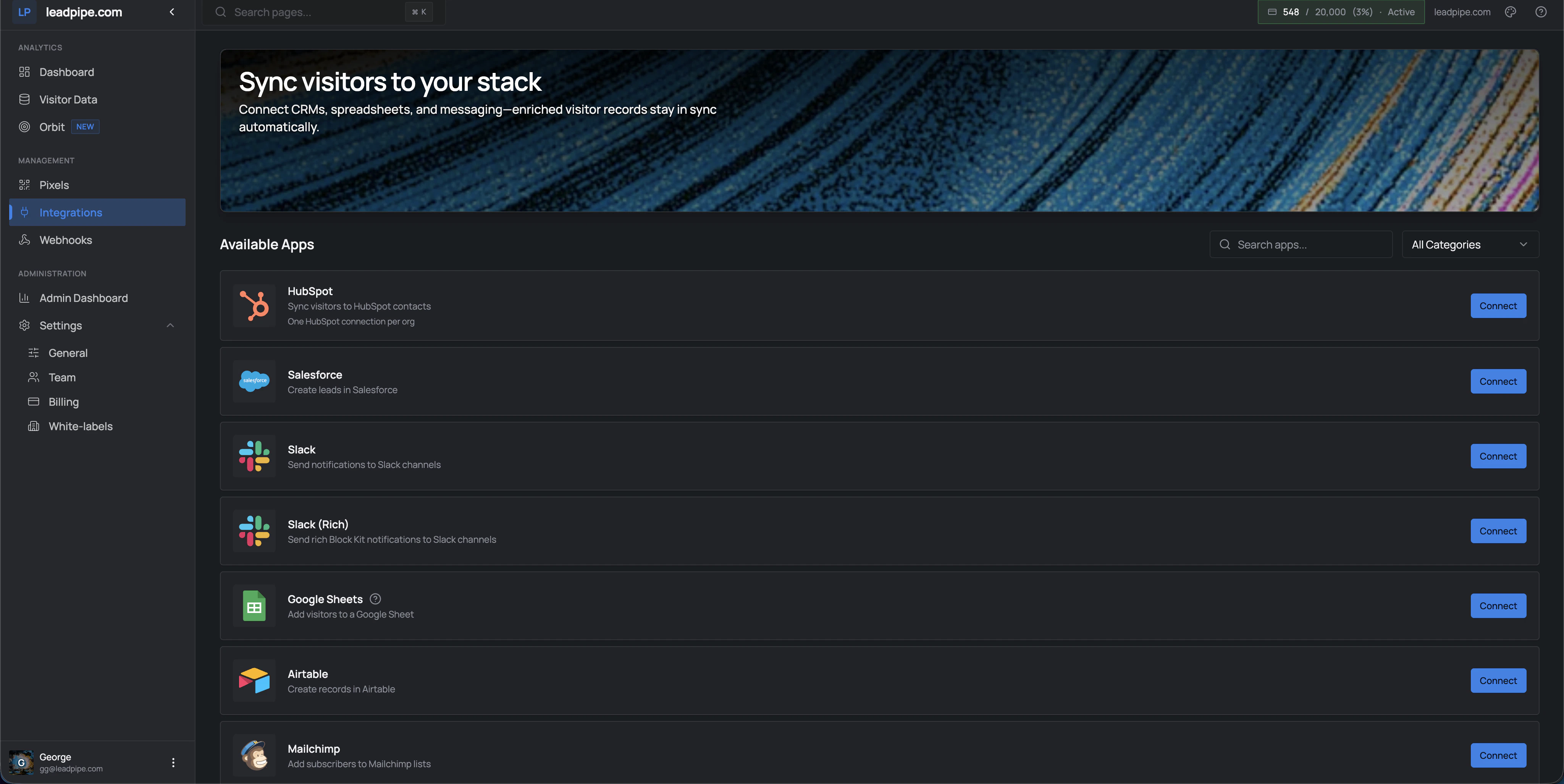
The page supports search and category filtering, and each app has its own **Connect** action. Some integrations also show app-specific constraints directly in the list, such as `One HubSpot connection per org`.
Leadpipe supports a broad mix of destinations, including:
* CRMs such as HubSpot, Salesforce, Zoho CRM, Pipedrive, Freshsales, Close, Copper, Insightly, Nutshell, and GoHighLevel
* Messaging and notification tools such as Slack
* Spreadsheets and databases such as Google Sheets, Airtable, and Notion
* Marketing and lifecycle tools such as Mailchimp, Klaviyo, Omnisend, ActiveCampaign, Customer.io, and Monday.com
* Outbound tools such as Smartlead, SmartReach, and Instantly
## Recommended rollout
Start with the system your team already checks every day.
Do not push everything at once. Start with a narrower audience so you can inspect quality before scaling up.
If the destination flow is pixel-specific, choose the pixel you want the integration to use.
Confirm the right contacts are being created or updated and that the timing matches your workflow.
Once the first integration is stable, add more destinations where the same visitor data should flow.
## Good destination patterns
Use a CRM first when a sales team needs named visitors to show up in an existing pipeline or lead-routing process.
Use Slack when you want fast visibility before you build a heavier workflow.
Use Google Sheets, Airtable, or Notion when you need a lightweight review layer before committing to automation.
Use these when your team already has a clear follow-up process and knows what should happen after identification.
## Good first use cases
* Send qualified visitors to a CRM
* Post high-intent activity into Slack
* Build lightweight reporting in Google Sheets or Airtable
* Feed outbound systems with filtered prospect lists
If you are still deciding how data should leave Leadpipe, start with [Integrations and delivery options](/guides/integrations-and-delivery-options). That guide explains when to use a native integration, a webhook, or a manual export.
The page supports search and category filtering, and each app has its own **Connect** action. Some integrations also show app-specific constraints directly in the list, such as `One HubSpot connection per org`.
Leadpipe supports a broad mix of destinations, including:
* CRMs such as HubSpot, Salesforce, Zoho CRM, Pipedrive, Freshsales, Close, Copper, Insightly, Nutshell, and GoHighLevel
* Messaging and notification tools such as Slack
* Spreadsheets and databases such as Google Sheets, Airtable, and Notion
* Marketing and lifecycle tools such as Mailchimp, Klaviyo, Omnisend, ActiveCampaign, Customer.io, and Monday.com
* Outbound tools such as Smartlead, SmartReach, and Instantly
## Recommended rollout
Start with the system your team already checks every day.
Do not push everything at once. Start with a narrower audience so you can inspect quality before scaling up.
If the destination flow is pixel-specific, choose the pixel you want the integration to use.
Confirm the right contacts are being created or updated and that the timing matches your workflow.
Once the first integration is stable, add more destinations where the same visitor data should flow.
## Good destination patterns
Use a CRM first when a sales team needs named visitors to show up in an existing pipeline or lead-routing process.
Use Slack when you want fast visibility before you build a heavier workflow.
Use Google Sheets, Airtable, or Notion when you need a lightweight review layer before committing to automation.
Use these when your team already has a clear follow-up process and knows what should happen after identification.
## Good first use cases
* Send qualified visitors to a CRM
* Post high-intent activity into Slack
* Build lightweight reporting in Google Sheets or Airtable
* Feed outbound systems with filtered prospect lists