> ## Documentation Index
> Fetch the complete documentation index at: https://docs.leadpipe.com/llms.txt
> Use this file to discover all available pages before exploring further.
# Use Agent Lipo briefings
> Review Leadpipe's daily summaries of notable visitor activity
## Overview
Agent Lipo turns recent identified visitor activity into a concise briefing. Open **Agent Lipo > Briefings** to read the latest letter and revisit earlier ones.
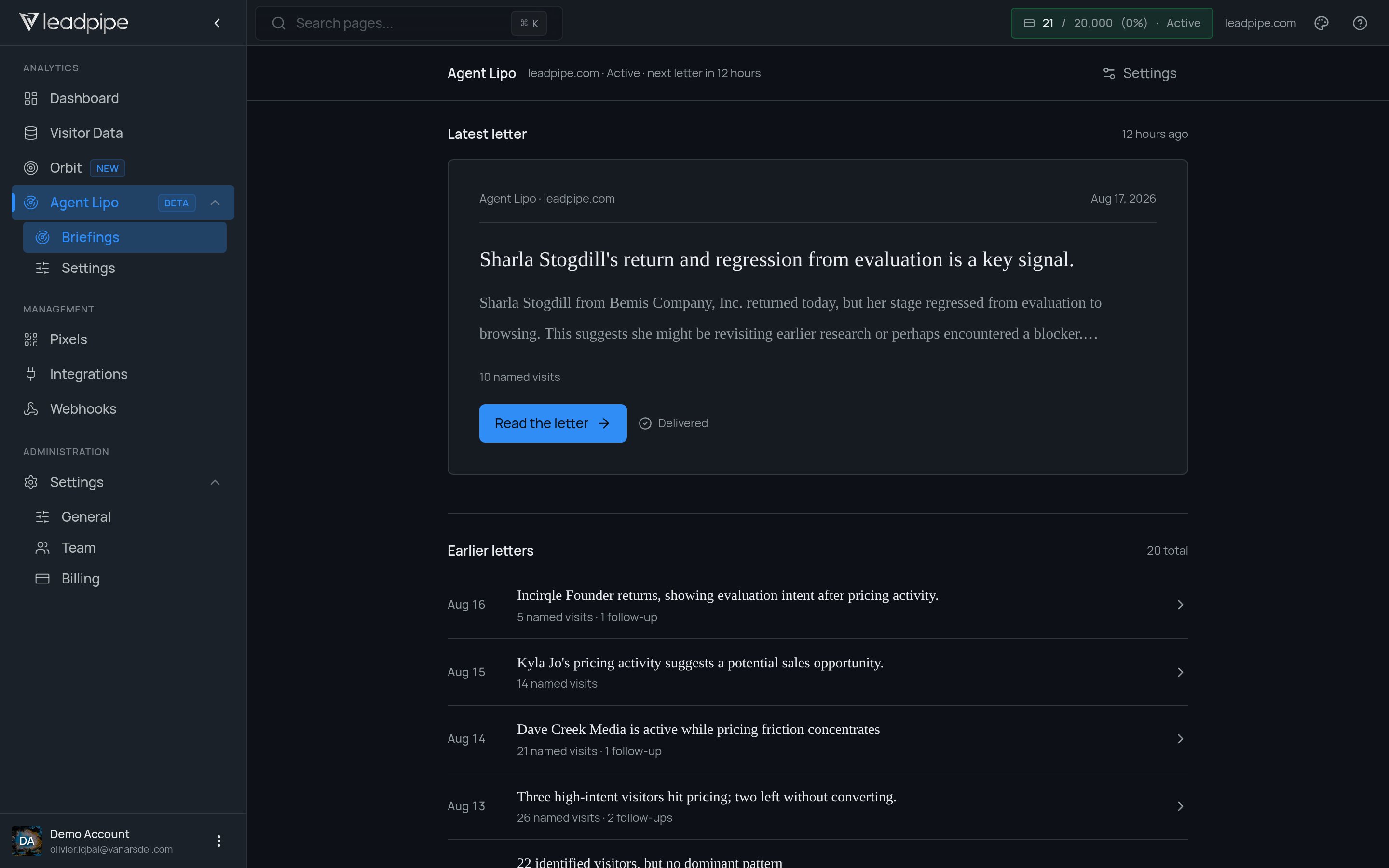 The briefings list shows when each letter was produced, how many named visits it covers, and whether it contains follow-up items. The latest-letter card also shows its delivery state.
## Review a briefing
1. Open the latest letter.
2. Review the highlighted visitor or account changes.
3. Check the named-visit and follow-up counts for context.
4. Use the underlying visitor data before acting on an individual signal.
Agent Lipo is marked as beta in the dashboard. Its presentation and controls may change.
The briefings list shows when each letter was produced, how many named visits it covers, and whether it contains follow-up items. The latest-letter card also shows its delivery state.
## Review a briefing
1. Open the latest letter.
2. Review the highlighted visitor or account changes.
3. Check the named-visit and follow-up counts for context.
4. Use the underlying visitor data before acting on an individual signal.
Agent Lipo is marked as beta in the dashboard. Its presentation and controls may change.